
Video files
Saves the original video file the page exposes, for archiving material and close rewatching.
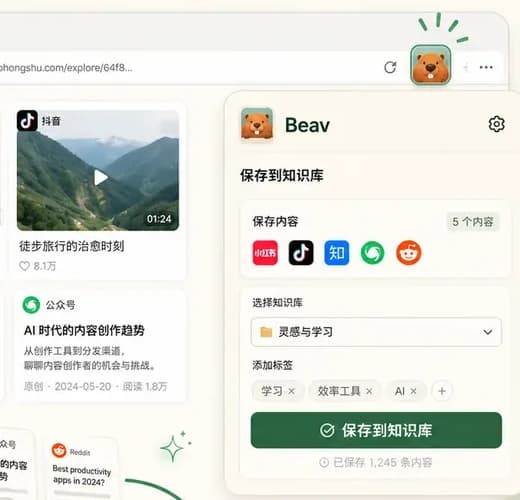
Open a Douyin post on your computer and use Beav to save accessible videos, photo sets and captions. Use Chrome or Edge, install the extension and connect the desktop app before starting.
Desktop Chrome / Edge · Extension + Beav desktop app
Saves the original video file the page exposes, for archiving material and close rewatching.
Save available images from photo posts, then check their count and resolution.
Titles, descriptions, and hashtags are collected together so you can study topic angles and caption structure.
Collect comment text to see real audience reactions and recurring questions.
Save the details and media of a creator's public posts from their profile page.
Install the extension in Chrome or Edge, start Beav on your desktop, and verify the connection using the installation guide.
Browse as usual-the extension detects video and photo-set pages and shows the matching save actions.
Files stay on your machine-preview, organize, or pull them into Beav to keep creating.
Sign in on Douyin when required and check that the post plays before using a save action. This page covers douyin.com and does not imply TikTok support.
Keep the source and note what you learned: a clear opening, an image sequence, or a useful question. Then create a new cover with your own images and text.
Explore cover prompts
Yes. With the Beav browser extension installed, open a video on Douyin Web in your desktop browser and save the video, photo set, or caption to your machine-no third-party parsing site needed.
Watermarks, resolution and format depend on the media provided by the page. The extension does not guarantee watermark removal or a higher-resolution file. Check the saved result.
The browser extension is free to install. Complete the desktop connection before use; available allowances for AI creation depend on your account plan.
This page covers Douyin (douyin.com), the domestic version. TikTok pages are structured differently, so support follows what the extension detects on the live page.
Online downloaders typically accept a pasted link. Beav requires a desktop browser extension and works on post pages you can access, making it useful for ongoing reference collection.
Saving content does not grant permission to reuse it. Follow platform rules and the creator’s permissions, and confirm you have the necessary rights before publishing or commercial use.
Follow the saving steps, check the results, and troubleshoot common issues.
Save RedNote videos, photo sets, and notes with the same extension.
Full steps for installing from the Chrome Web Store or loading the ZIP manually.
Skills for short-video topic planning, scripting, and editing workflows.