
Workflow overview
Images, video, and audio
Organize reference sources in Beav, submit media tasks, wait for async results, and save generated content back into the media library and drafts.
Media tasks usually take longer than text generation and can involve paid models. Decide the purpose, the specifications, and the reference sources before you start generating.
Images and covers
Prepare the title, a body summary, the platform, the aspect ratio, and reference images. People, products, brands, or recurring scenes should go into the subject library first, so describing them again and again does not produce inconsistent visuals.
When generation finishes, attach the results you chose to the draft or project, and keep the rejected versions for the review.
Video
A video task starts from a script, a shot list, an asset checklist, and output specifications. Long tasks are best split into verifiable media tasks, but everything still has to come back to the same draft or project package.
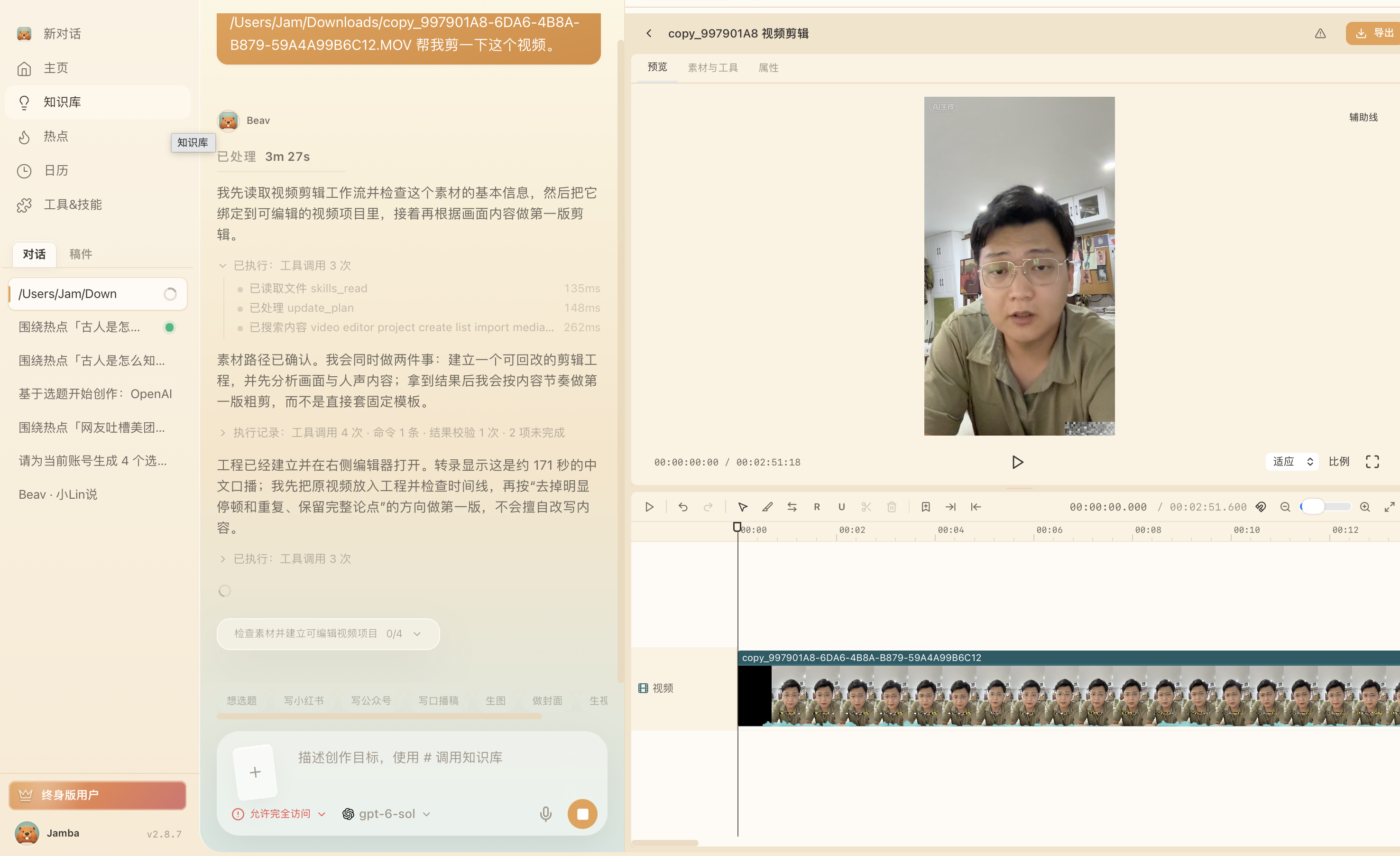
For a talking-head clip, ask Beav to create an editable project from the source video and open the editor. Confirm the clip is loaded and the preview and timeline work, then review the transcript and pacing, adjust the edit, and export. An open editor means the project is ready; it does not mean the automatic edit is complete. Play through the exported video before using it.
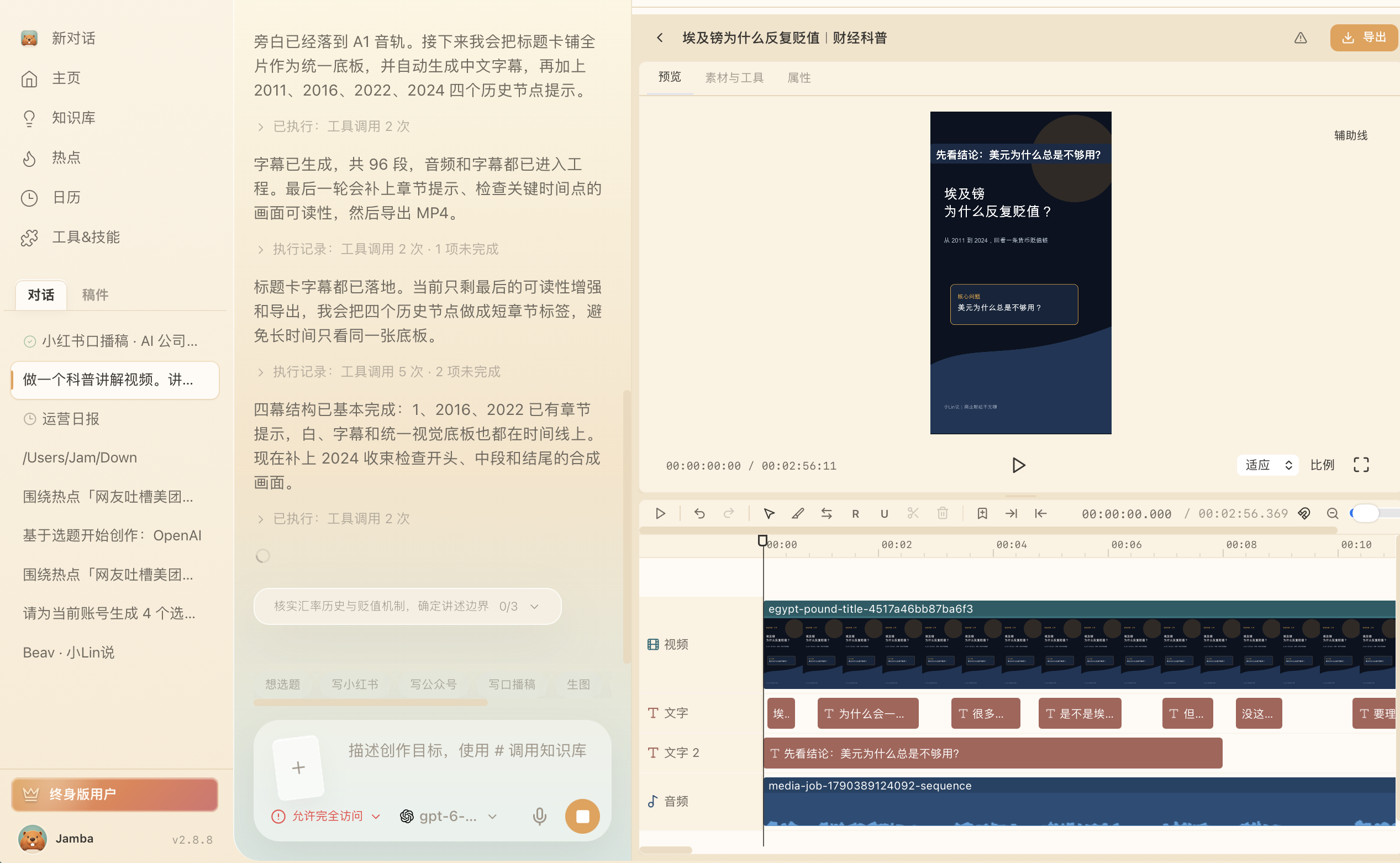
For an explainer video, place title cards, subtitles, narration, and chapter visuals on the same timeline. The project below includes a title card, generated subtitles, and a narration track arranged around historical milestones; the ending is still being reviewed. Before export, check the pacing, subtitle legibility, and audio-video sync throughout.
An external Agent can plan, submit tasks, and read status; large files, rendering, and the final video stay in Beav. Agents should reference tasks or artifacts, never inline video content into the chat context.
Reference video and speech timing
Provide an authorized local video or a video asset in the current workspace and ask a specific question about a time or interval. The updated assistant can obtain frames with source timestamps without creating an editing project just to read the reference. These working files belong to the current conversation and are not automatically imported into the asset library or a project. Missing samples remain explicit; still frames cannot replace listening or observing continuous motion.
For animation with an actual voice track and a word-timed transcript, the assistant can locate phrases in the current recording and use them to position reveals, captions, and object changes. A new language or recording requires checking the affected timings while reusing unaffected assets. Missing words, ambiguous repetitions, or a provider that supplies no word timing leave an evidence gap. These transcript word windows are not acoustic forced alignment; the final sound and visuals still need review.
Applies to unreleased 2.8.11 development source containing the 2026-10-05 update. The phrase locator and local frame-timestamp fixtures passed offline checks. Host compilation, packaged execution, real Agent resource reads, and audiovisual synchronization remain unverified. Older builds may lack these capabilities; unavailable tools or unreadable sources cannot be reported as completed observations. See reference adaptation for what to preserve and change.
Audio and subtitles
Audio tasks can include narration, music, sound effects, transcription, and subtitles. Confirm the language, the voice, the duration, and where it will be used before generating. Bind subtitles to the exact video version, so an old timeline is not reused after the video changes.
Cost and approval
Paid generation needs confirmation before it runs. After submitting, do not create the same task again just because nothing has come back yet — check the task status and the event log first. An external Agent that hits awaiting_approval must wait for you.
Results flow back
Finished images, videos, and audio belong in the media library, linked to the matching draft, subject, or project. A media task is only done when the file exists, the preview works, and it can still be found from the project.