


Key takeaways
- AI is good at organizing your material, drafting posts and preparing images. Checking facts, adding AI-content labels and publishing are still your job.
- Look for topics in three places: the original source behind a trend, posts with high engagement, and the questions readers keep asking in comments.
- The workflow for one post: save your material, pick a topic, let AI draft, check it yourself, then publish from the Xiaohongshu (RedNote) app on your phone.
The most common problem on Xiaohongshu is not knowing what to post next. AI makes finding topics and writing first drafts much faster, but it cannot replace real sources or your own judgment. This guide covers what AI can and cannot do for Xiaohongshu, and the full path of one post from idea to publish.
Two rules to know in 2026
The first is the law. China's Measures for Labeling AI-Generated and Synthesized Content took effect on September 1, 2025. If a post counts as AI-generated or synthesized content, you need to declare it and use the platform's labeling tools. Read the CAC announcement.
The second is the platform. Xiaohongshu's Community Guidelines 2.0 ask for real sharing and respect for original work, suggest saying when AI generated or polished content, and prohibit account farming and fake reviews. Read the Xiaohongshu guidelines.
So using AI does not by itself get you limited. The problems are untrue content, fake activity, and flooding the feed with empty posts from one prompt. Give AI your account positioning, real material and your own ideas, then check and publish yourself. That approach holds up over time.
What AI should and should not do
AI is good at: organizing what you have collected, comparing how several posts are written, suggesting topics, writing a first draft you can edit, and preparing cover and image ideas.
AI cannot: tell whether a piece of information is true, invent personal experience you do not have, or decide whether a post fits your account. Those are up to you.
Where topics come from
Trends: start from the original source
A trend gives you timing, but the trend itself is not a fact. When you see one worth following, find the original source, such as the policy text or an official announcement, check the date and scope, then think about what it means for your readers.
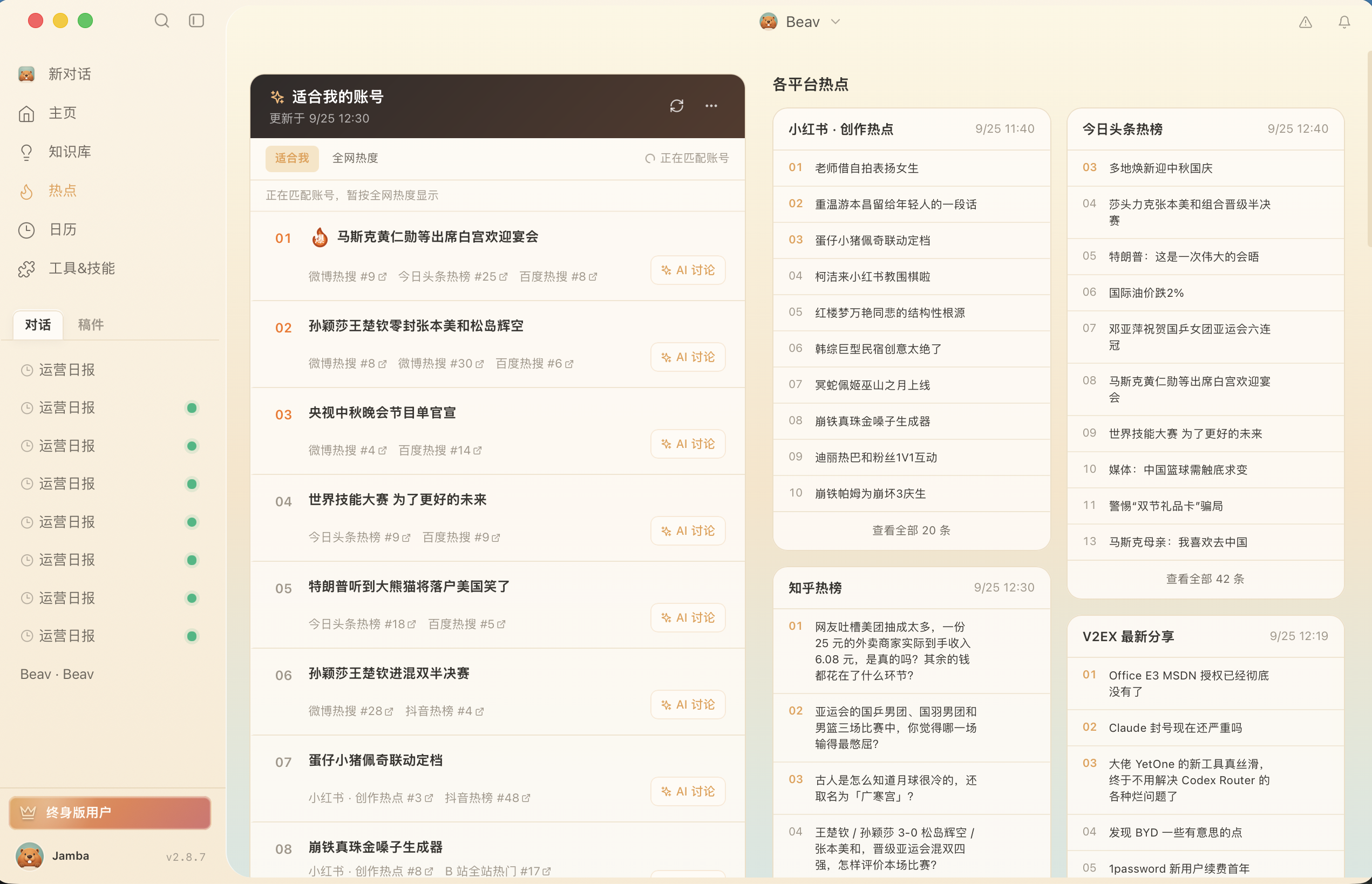
The Beav Hotspots page shows trends that fit your account next to the hot lists of each platform. When one looks useful, click "AI Discussion" to turn it into a topic with AI. Hotspots requires connecting a NewsBing authorization first.
High-engagement posts: learn the structure, not the content
In a post with strong engagement, look at how the title asks a question, what order the information comes in, and which examples support the point. You can borrow the structure, but not the original text, data or someone else's experience.
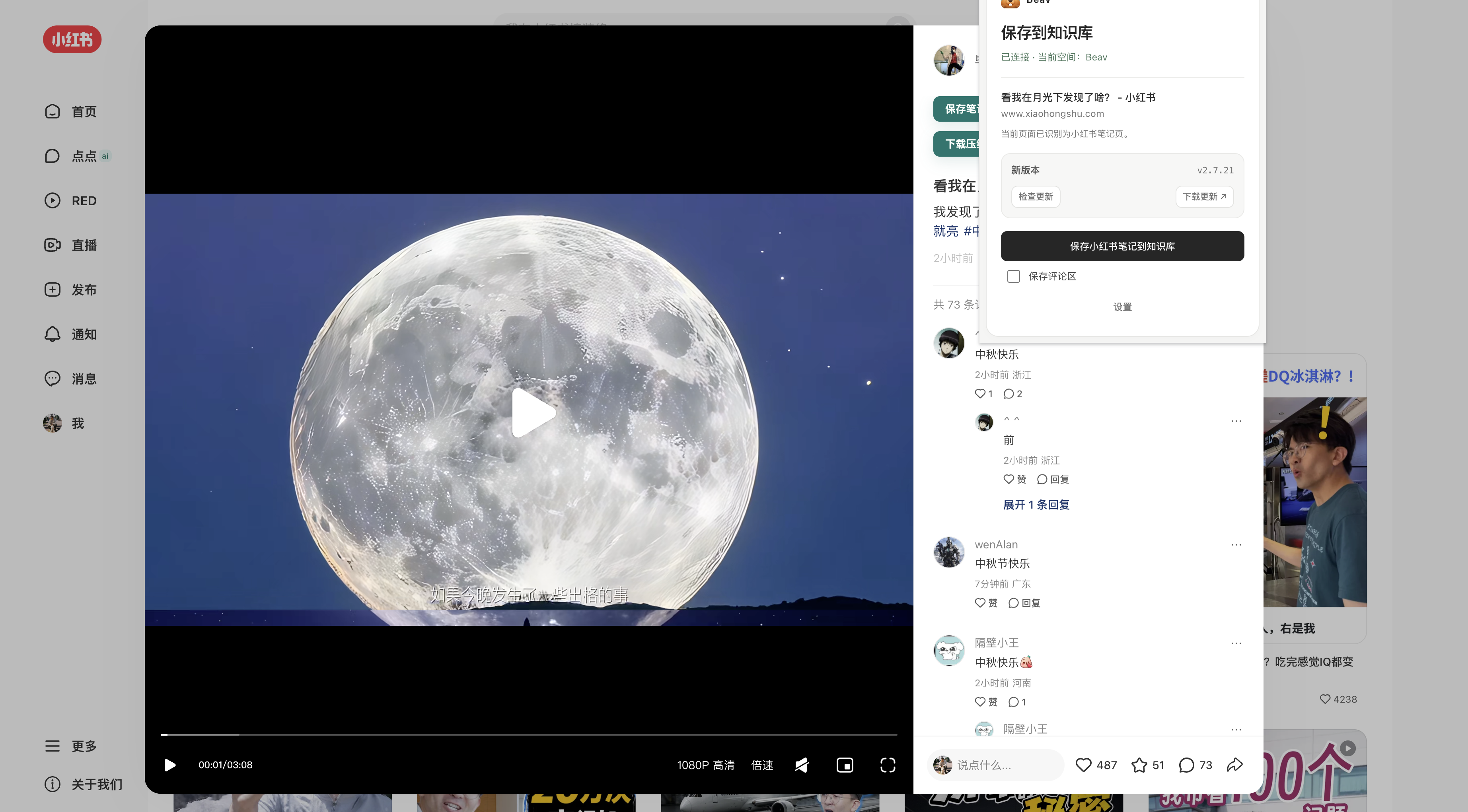
The Beav browser extension saves the whole post to your knowledge base, including caption, images, video, comments and the source link, so you can go back to it while you write.
Comments: what readers actually want to know
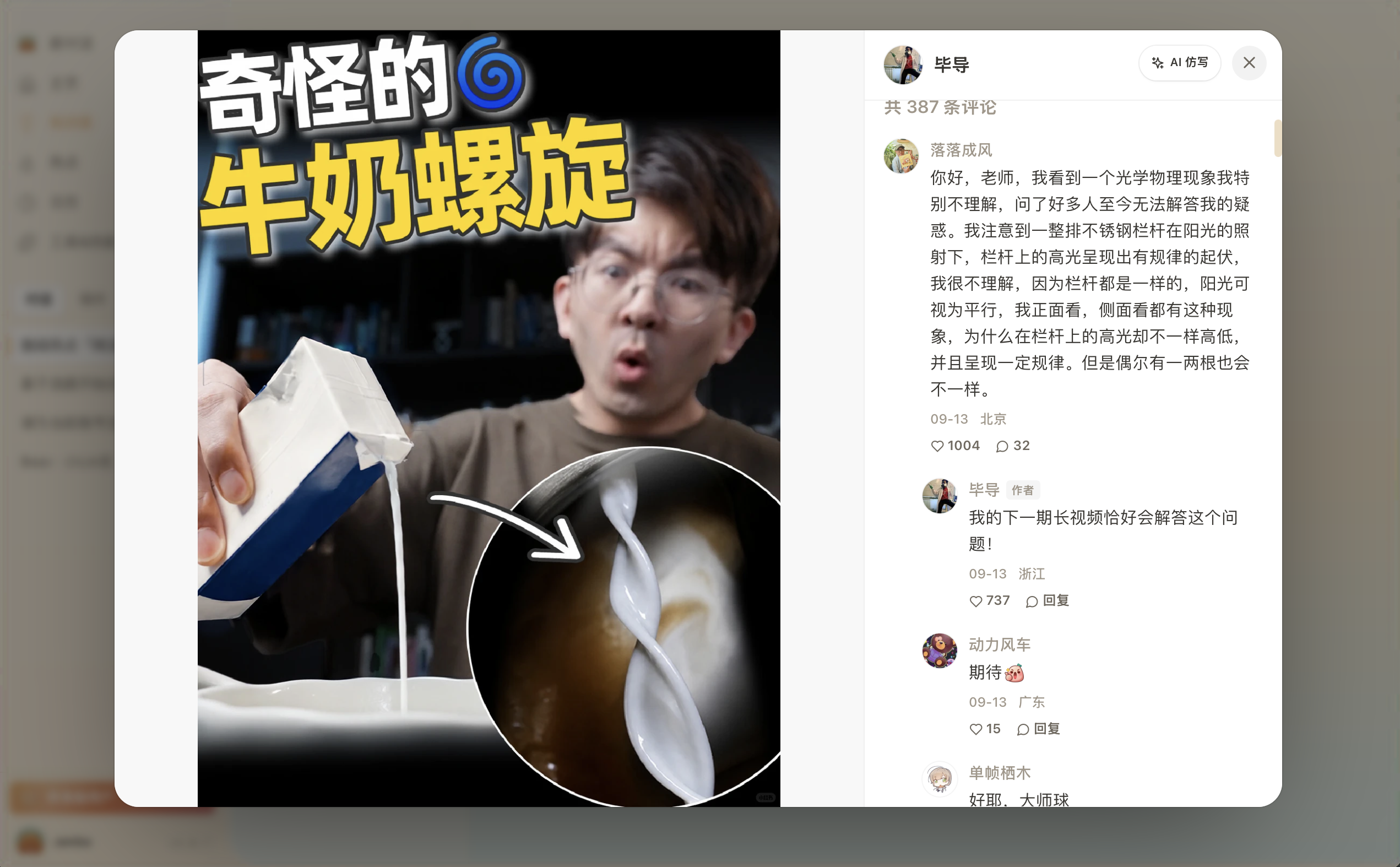
Questions that keep coming up in the comments are often your next topic. Under a post about using AI on Xiaohongshu, for example, many people may ask "what should a beginner do first?" and "what should I check before posting AI images?" Those are two specific topics.
When you sort comments, four groups work well: follow-up questions, concerns, objections and additions. Popular comments are not automatically correct, so verify anything factual.
The full workflow for one post
A 2026 Xiaohongshu AI creation workflow
Say the topic is "how a beginner can use AI to go from idea to a first published Xiaohongshu post". Follow five steps:
- Save your material. Put the trend source, reference posts, comments and your own notes in one workspace, with their sources.
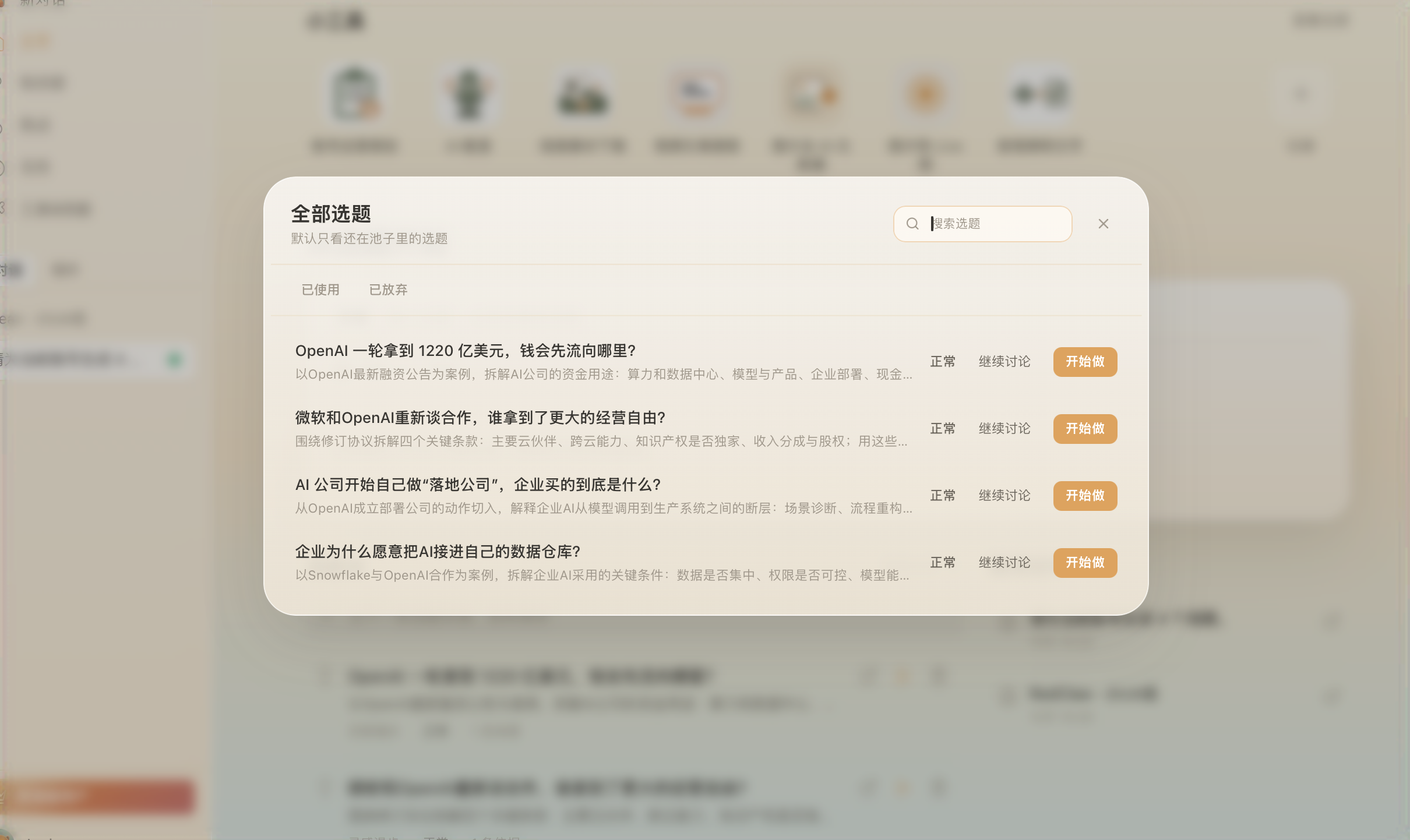
- Pick the topic. Ask three questions: why do readers need this now, what evidence do I have, and what can I add? The topic pool on the Beav home page lets you search existing topics, see their status (in progress, used and so on), and continue the discussion or start creating.
- Let AI draft. Give AI the topic and your material and ask for a draft built around the reader's question. Treat it as a draft, and do not present unverified information as fact.
- Check the finished post. Check numbers, quotes, personal experience and platform rules, and add the AI label when the platform asks for it. Below is a complete Xiaohongshu post with its caption and five image cards.
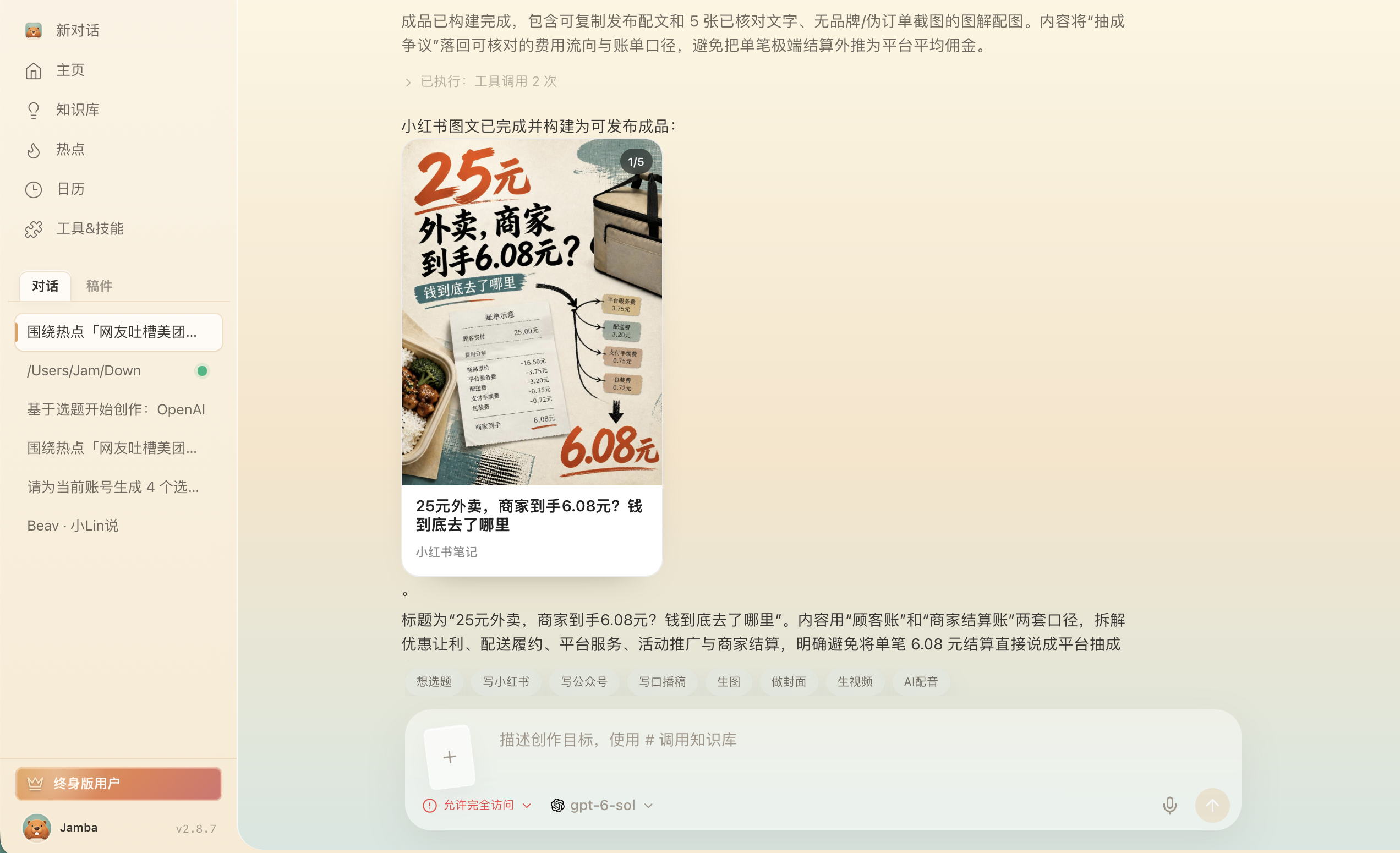
- Publish from your phone. Click "Share to phone" on the result. With your phone and computer on the same Wi-Fi, scan the QR code to save the images and files to your phone, then do a final check and publish in the Xiaohongshu app. Beav does not publish to Xiaohongshu for you; the decision to publish stays with you. Afterwards you can click "Mark as published" to keep track.
After publishing, you can turn on scheduled account refresh in settings. Beav then syncs your account's recent posts and their likes and other numbers every day (syncing may use credits). When you want to review, ask the AI which posts did well and why, and use that for the next round of topics.
Read next
- Building a benchmark post pool with a browser extension: how to choose benchmark accounts and capture posts with their comments.
- Local AI asset management and knowledge base: how to organize material once it is saved.
- Viral post breakdown and rewriting: how to analyze a viral post's structure and write your own version.